


SpringBoot启动输出了Mybatis-plus和Pagehelper的图标的解决方法
作者:小教学发布时间:2023-09-24分类:程序开发学习浏览:378
导读:SpringBoot启动输出了Mybatis-plus和Pagehelper的图标解决方法Mybatis-plusmybatis-plus可以通过下面的配置关闭图标输出...
SpringBoot启动输出了Mybatis-plus和Pagehelper的图标
解决方法
Mybatis-plus
mybatis-plus可以通过下面的配置关闭图标输出
mybatis-plus:
  global-config:
    banner: false  #启动时不输出mp的图标
pagehelper
pagehelper要麻烦一些,需要在jvm的启动参数中进行配置
#新版idea
-Dpagehelper.banner=false

#老版idea
pagehelper.banner
新版Idea的设置位置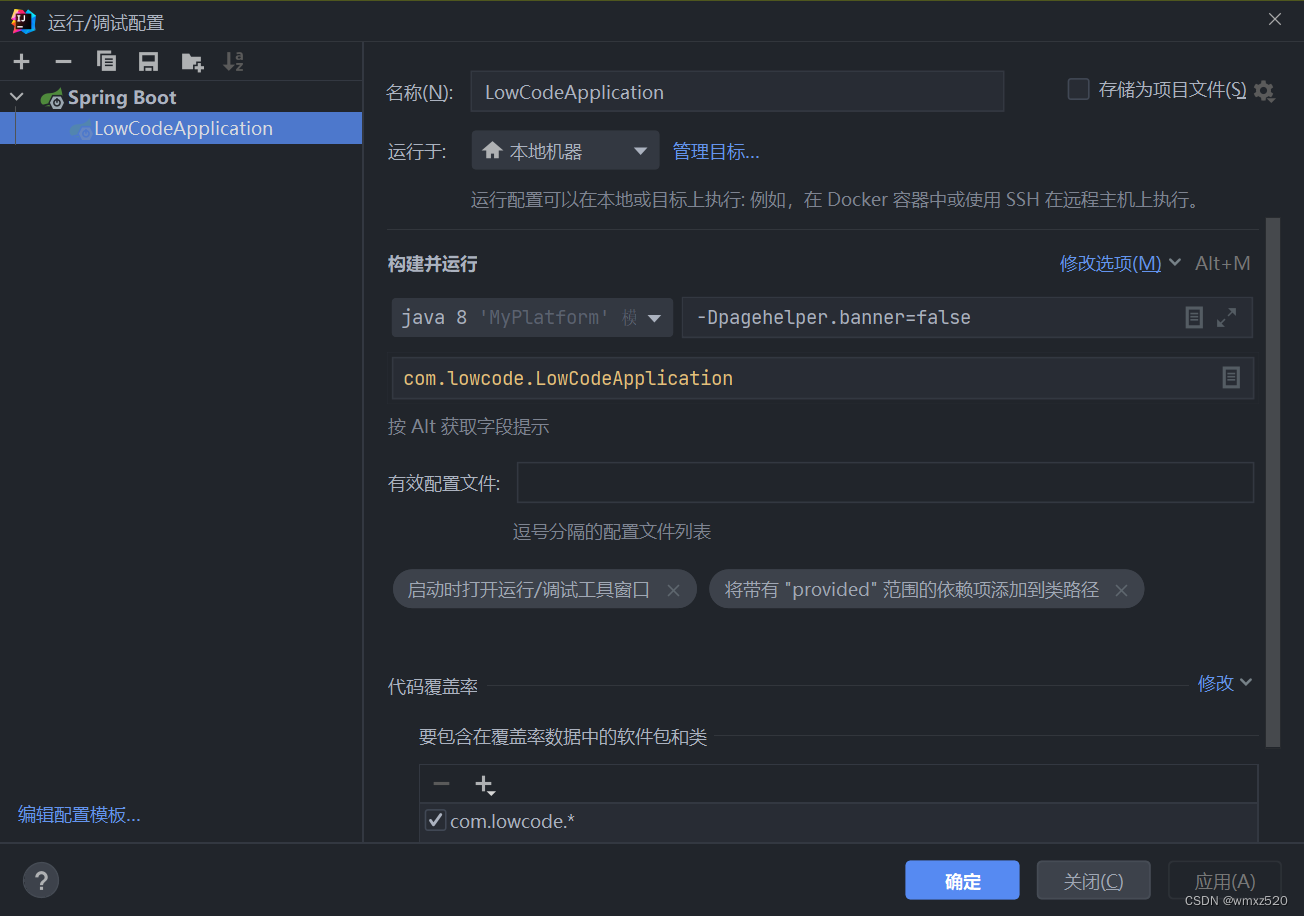
老版idea设置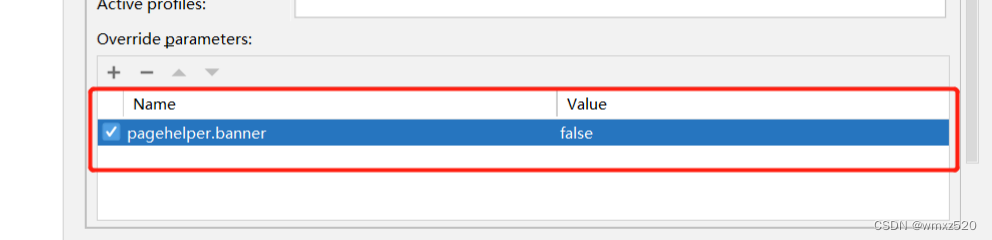
参考
- SpringBoot集成PageHelper,启动带有PageHelper图标问题解决
- 取消SpringBoot和Mybatis-plus启动的banner图标(通过yml)
- 上一篇:Matlab--高等应用数学问题的MATLAB求解
- 下一篇:string类
- 程序开发学习排行
- 最近发表
-
- WordPress随机显示特色图片插件:Random Post Thumbnails
- KeePass实现Chrome浏览器自动填充密码方法一
- LNMP一键包nginx 301强制跳转到https教程
- KeePass实现Chrome浏览器自动填充密码方法二
- #建站# 免费的VPS管理软件Xshell8/Xftp8中文版下载
- 使用Xshell 8连接VPS教程_电脑登录vps的方法
- WordPress评论界面添加烟花????效果
- 不同浏览器书签同步方案:坚果云+Floccus_详细使用教程
- iOS端KeePassXC客户端APP:Strongbox Password Safe
- 给WordPress评论中的Gravatar头像图片添加ALT属性